

Back to Insight
Help & Support
How to setup topics in your Obsero platform

Andy Francos
Published: 25 Feb 2026
SUMMARY
Step-by-step guide for grouping prompts into meaningful segments within Obsero. Topics unlock segmented performance insights showing visibility scores, brand prominence, and average citations per answer across each category. Covers topic creation, prompt assignment, and tips for maximising insight from segmentation.
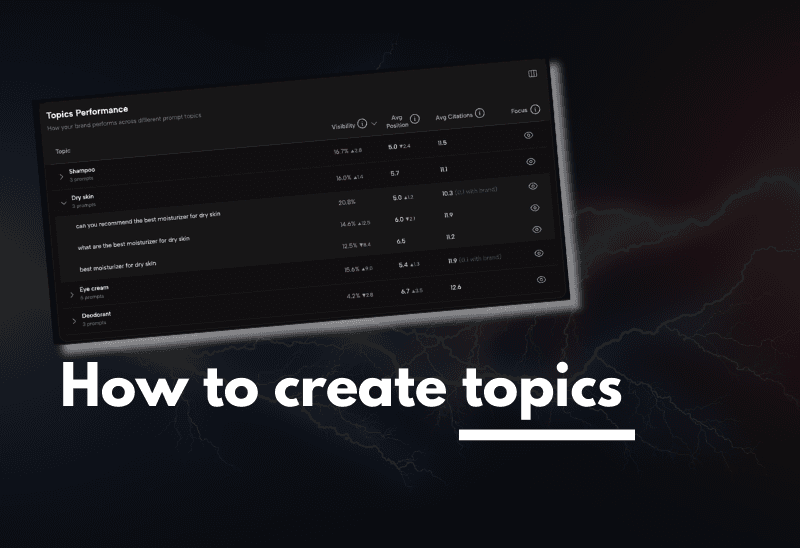
How to create and manage topics in Obsero
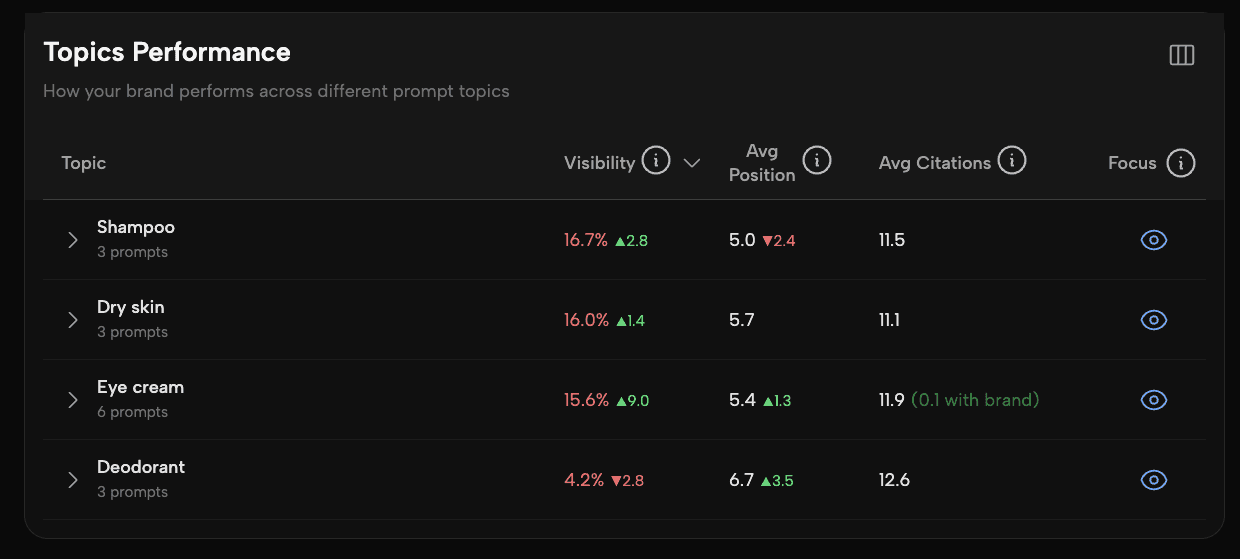
Topics allow you to group your prompts into meaningful segments, giving you a clearer picture of how your brand is performing across the areas that matter most to your business. For example, a brand like Boots might segment prompts into categories like dry skin, shampoo, deodorant, and so on.
Why use topics?
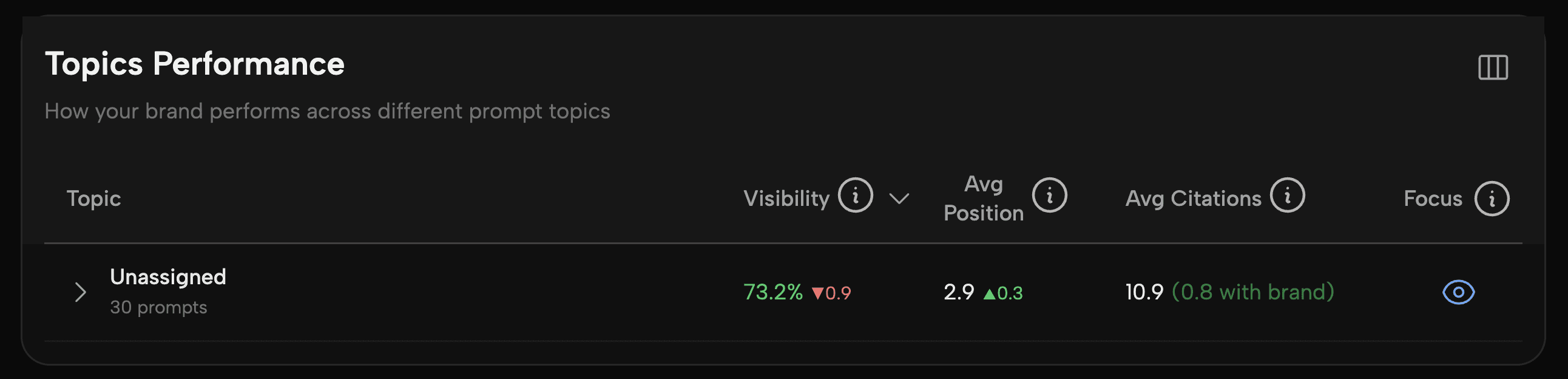
Without topics set up, all of your prompts will appear under an Unassigned section at the bottom of your Visibility tab. While you can still view prompt-level data, grouping prompts into topics unlocks segmented performance insights — showing you visibility scores, brand prominence, and average citations per answer across each category.
Step 1: Check your current setup
Navigate to the Visibility tab and scroll to the bottom of the page. If you see an Unassigned section containing your prompts, it means no topics have been configured for this organisation yet.
Step 2: Navigate to topics
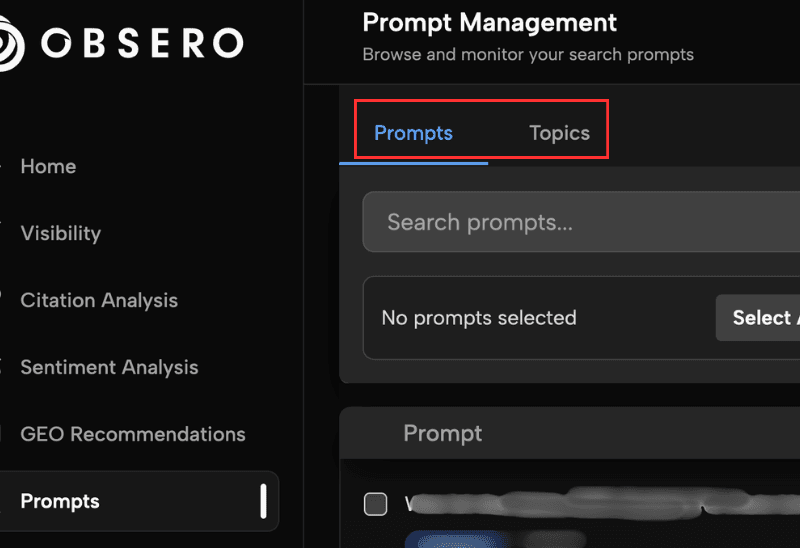
Click on the Prompts tab in the main navigation. At the top of the page you'll see two tabs: Prompts and Topics. Select Topics.
Step 3: Create a new topic
Click New Topic and enter a category name - for example, Dry Skin. Click Create to save it.
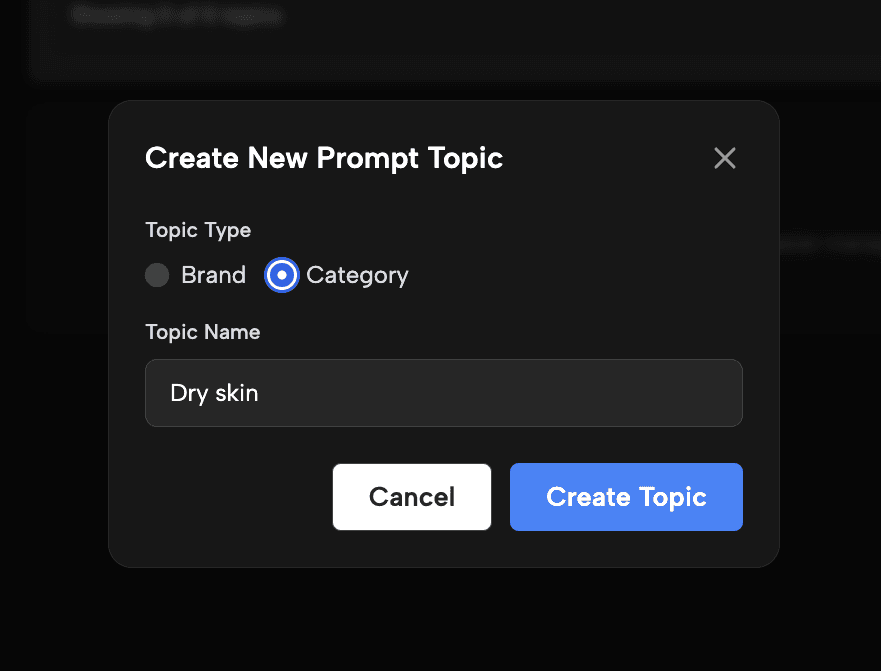
Repeat this process for each topic you want to create.
Step 4: Add prompts to a topic
With your topic created, click into it and select the Prompts option. Use the Search Prompts field to find the prompts you want to assign. Select the relevant prompts from the results and click Add to Topic.
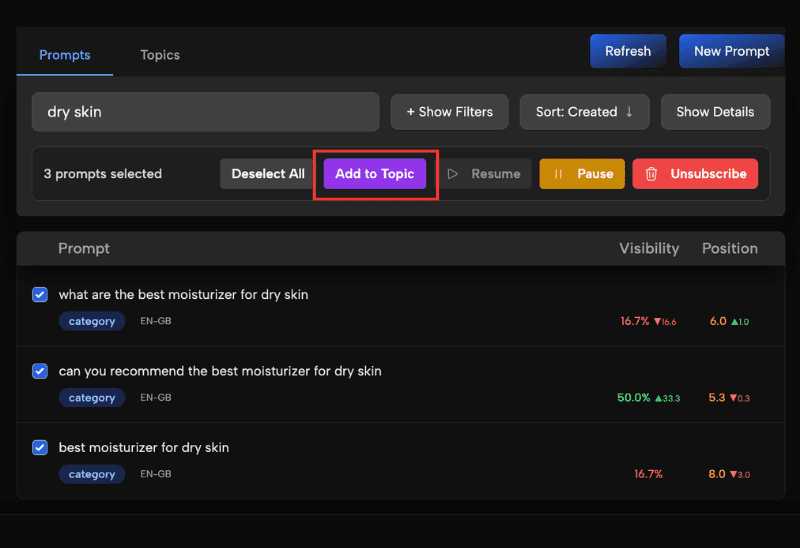
Repeat this for each of your topics until all relevant prompts have been assigned.
Step 5: Review your segmented visibility
Return to the Visibility tab and scroll down. Your prompts will now be organised by topic rather than sitting in the Unassigned section. You can compare performance across segments, including visibility scores, brand prominence, and average citations per answer.
Tips for getting the most from topics
We recommend adding as many relevant prompts as possible to each topic. A higher prompt count gives you more comprehensive coverage and more reliable insight into how your brand is performing within each segment. The number of prompts available to you will depend on your Obsero package
Growth through intelligence
Capture your brand’s historic visibility, recommendation and sentiment data from AI Search in one intuitive platform